


Manage settings
Manage email sending
Configure the SMTP settings for sending emails from Plugin.ch
For Plugin.ch to be able to send emails (booking confirmations, notifications, etc.), you need to configure the SMTP settings of your mail server. This configuration ensures that all messages are delivered correctly to your members.
Access email sending management
In the main menu, select Settings, then Manage email sending. This section allows you to configure your SMTP server.
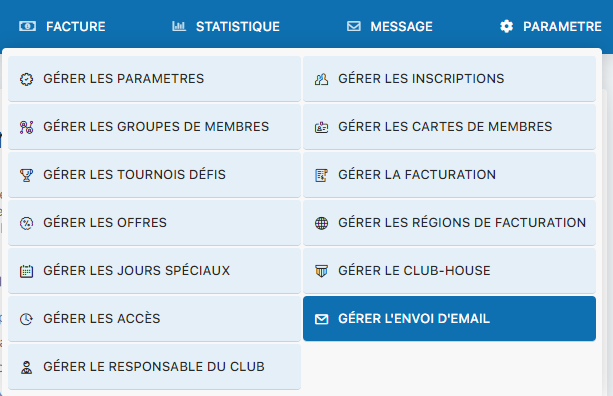
Settings menu - Manage email sending
Fill in the SMTP settings
Enter the SMTP configuration information from your email provider. Make sure each field is correctly filled in, including the server address, port, credentials, and security settings.
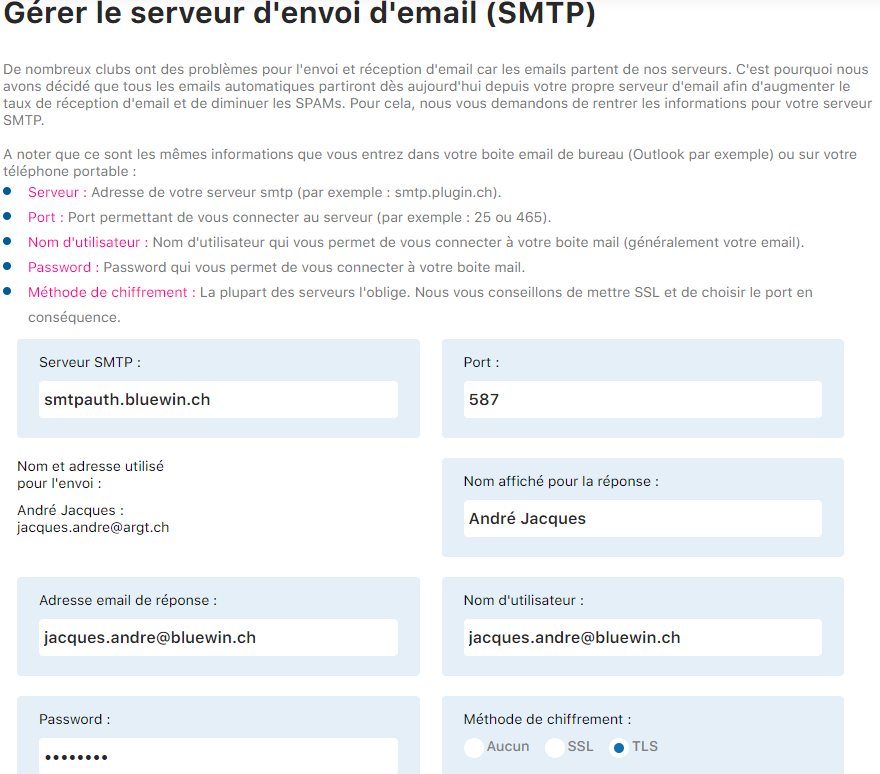
SMTP panel - Part 1

SMTP panel - Part 2
Test and save your settings
Click Edit information to save your settings. Plugin.ch automatically tests the SMTP connection. If an error occurs, check your settings and try again.
Important note regarding Swisscom
If you use Swisscom/Bluewin, the correct SMTP server is smtpauth.bluewin.ch (note: Swisscom sometimes indicates smtpauths.bluewin.ch, which is incorrect). If you have a problem, try the variant smtpauths.
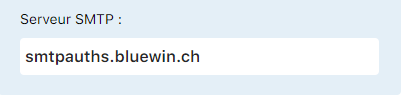
Example SMTP configuration for Swisscom
Good to know
The name and address used for sending come from the main data of the member responsible for the club. If you change this information, you will need to log in again for the changes to take effect.
Plugin.ch Tutorial — Manage settings