


Défi-Plugin tournaments
Manage Défi-Plugin Tournaments
Create and run challenge tournaments for your members
Défi-Plugin tournaments offer an excellent opportunity to create healthy, engaging competition within your tennis club. This feature lets your members register easily online and take part in challenges based on a dynamic ranking system. Find out how to set up and effectively manage your Défi-Plugin tournaments with Plugin.ch.
Create a Défi-Plugin tournament
Défi-Plugin tournaments represent a major innovation in managing tennis competitions. They allow your club's members to take part in a flexible, dynamic competition, where each player can challenge their opponents based on an evolving ranking.
To create a Défi-Plugin tournament, go to the dedicated section of Plugin.ch and use the creation form. The system offers an intuitive interface where you define the fundamental characteristics of your tournament.
Creation form
See the steps to create your tournament:
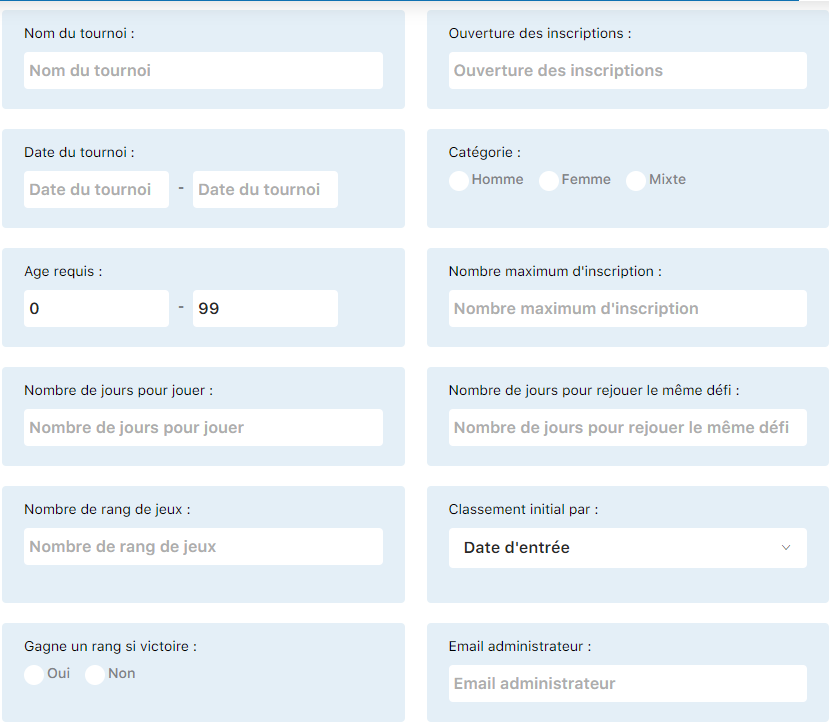
Step 1: Tournament information
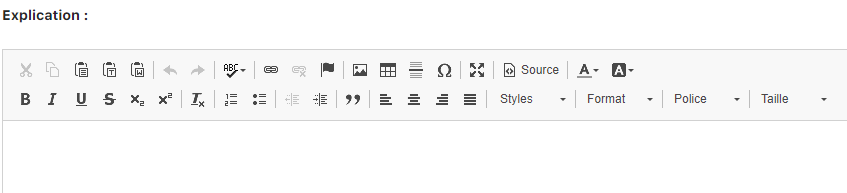
Step 2: General configuration

Step 3: Advanced settings
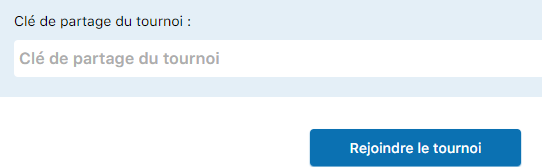
Step 4: Challenge settings

Step 5: Confirmation and activation
💡 Tip
Take the time to properly configure your tournament right from creation. The settings you define here will determine how the tournament works and its dynamics for all your members.
Setting details
Each Défi-Plugin tournament has specific settings that govern how it works. Understanding these settings will let you adjust the tournament to fit your goals and your club's culture.
Days to play after registration
This setting defines the amount of time each member has to play their match after registering for the tournament.

Minimum days between 2 challenges with the same player
This rule prevents two members from challenging each other too often. It encourages a variety of matches and better circulation of challenges within the tournament.

Number of ranks above that a player can challenge
This setting limits the ranking gap between the challenger and the challenged player. For example, if you set 3 ranks, a player ranked 10th can challenge players ranked 7th, 8th, and 9th.
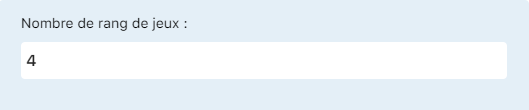
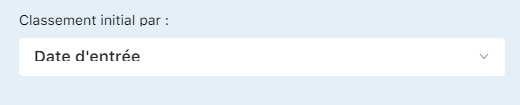
Ranking method
The initial player ranking can be based on different methods. The default recommendation is to use ranking by registration date, which offers a fair approach for new members.
Multi-club sharing
If your organization manages several clubs, you can enable the multi-club sharing option. This allows members from different clubs to take part in the same challenge tournament, creating a dynamic inter-club competition.

⚠️ Important
Once the tournament has started, some settings can no longer be changed. Make sure all settings are correctly defined before confirming the tournament creation.
Configuration example
See a concrete example of a successful challenge tournament configuration from Tennis Club Confignon. This example illustrates best practices and recommended settings for a dynamic and fair tournament.
Tennis Club Confignon configuration
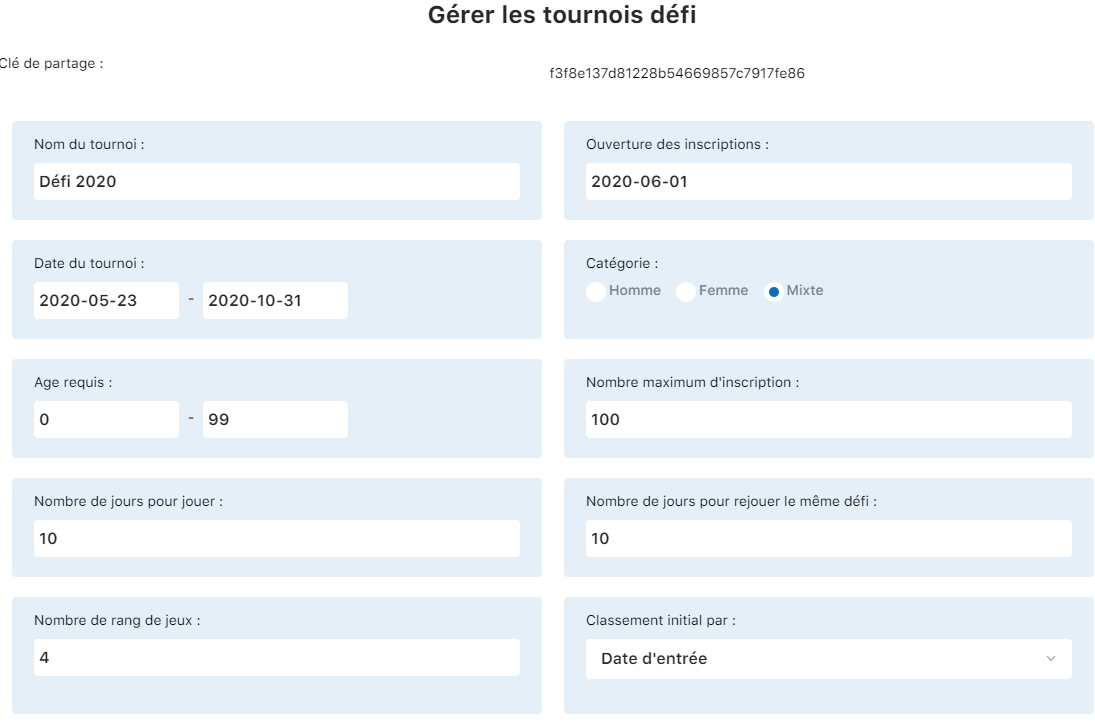
General configuration
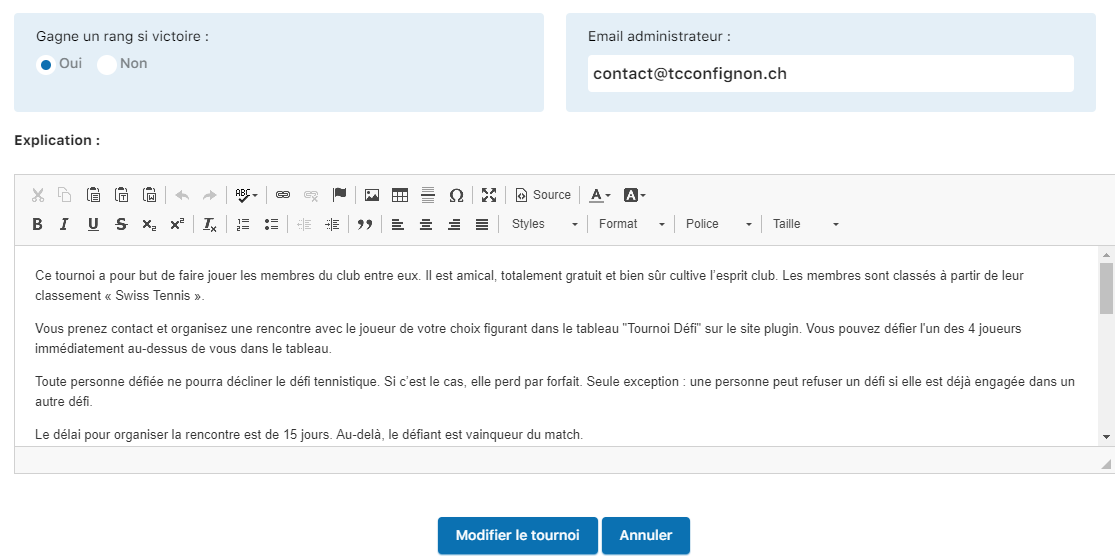
Specific settings
💡 Tip
You can adapt this example to your club's culture and specific needs. Feel free to adjust the settings after a few weeks of use, based on feedback from your members.
Registration and use by a member
Once your challenge tournament has been created and activated, your members can easily register and take part. Here is how the user experience unfolds for each participant.
Registration and participation steps
1. The member logs in to the site
The member accesses your club's site using their personal login details. Once logged in, they have full access to all features, including challenge tournaments.
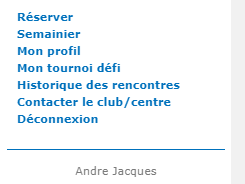
2. The member sees the tournament interface
Once logged in, the challenge tournament interface is displayed with all the key elements: the current ranking, the tournament rules, and the option to register.
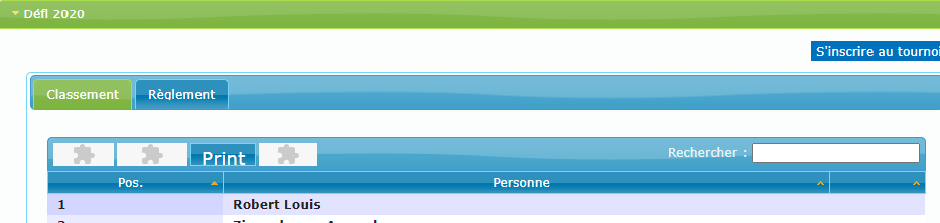
3. The member accesses the tournament options
By clicking on “My challenge tournament”, the member accesses a personal space where they can:
- Check the ranking in real time and see where they stand among participants
- Read the full tournament rules (“Rules”) to understand all the rules and conditions
- Officially register for the tournament (“Register for the tournament”) to start taking part
- View the history of their matches and challenges exchanged
- See pending challenges and issue new challenges to opponents
💡 Tip
Encourage your members to read the rules before registering for the tournament. A good understanding of the rules from the start ensures a better experience for everyone.
4. Active participation in the tournament
Once registered, the member can start taking part right away. The system works on a challenge model: each player can challenge players ranked above them, according to the defined settings. After each match, the ranking is updated automatically.
Members receive notifications for challenges received, match results, and ranking changes, which keeps engagement high throughout the tournament.
⚠️ Important
Regularly check that challenges are properly recorded and that matches are played within the set deadlines. Feel free to follow up with participants who have not played their matches.
Summary and next steps
- Create your challenge tournament by filling in the creation form with the basic information
- Configure the specific settings according to your vision for the tournament and your club's dynamics
- Use the Tennis Club Confignon example as inspiration to adjust your settings
- Communicate with your members to inform them of the tournament launch
- Track engagement and results to optimize the experience over time
Plugin.ch Tutorial — Challenge Tournaments
For any questions or assistance, check the Plugin.ch help center or contact technical support.