


School/Camp
Sign up for a tennis lesson
Sign up for a tennis lesson
Guide for parents and players: how to sign up online for the tennis school
Did you receive an invitation email or want to enroll your child in the tennis school? This guide walks you step by step through the process via the Plugin.ch online form.
Access the registration form
There are two ways to access the form:
- Via the invitation email: click the personalized link received by email. You will be automatically logged in and your name will be pre-filled.
- Via the club's website: go to the club's website and click “Sign up for a lesson / camp” in the left-hand menu.
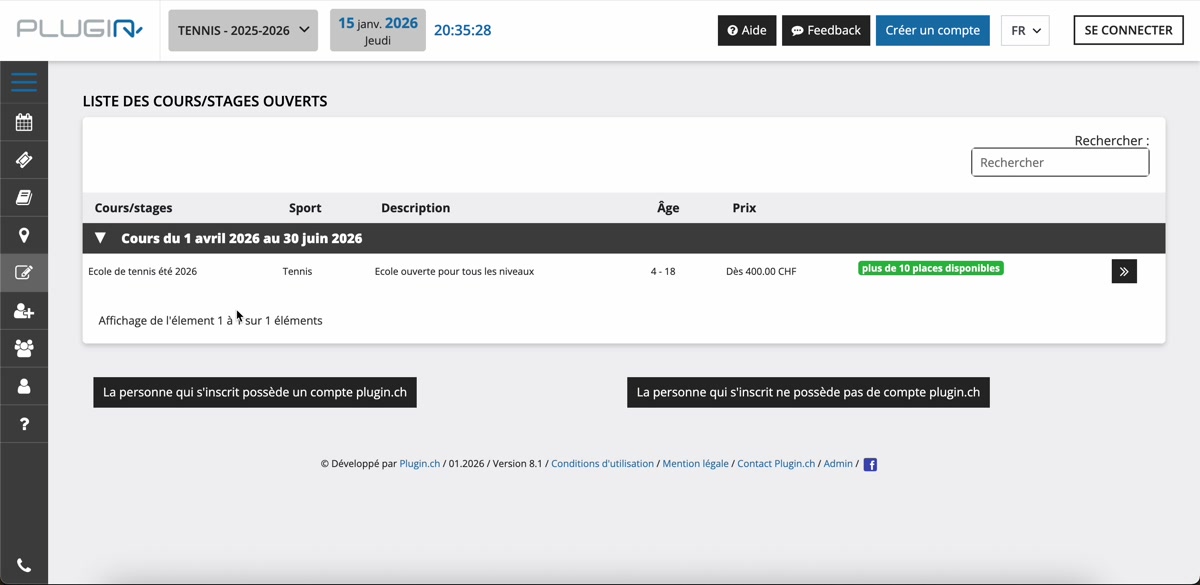
Public page showing available lessons with remaining spots, age, and price.
There you will see the available lessons with the number of remaining spots, the age range, the minimum price, and the required level. Click the arrow to start the registration.
Log in or create a profile
You have two options:
- You have a Plugin.ch account: enter your username and password to log in.
- You do not have an account: fill in the form with last name, first name, email, date of birth, and country.
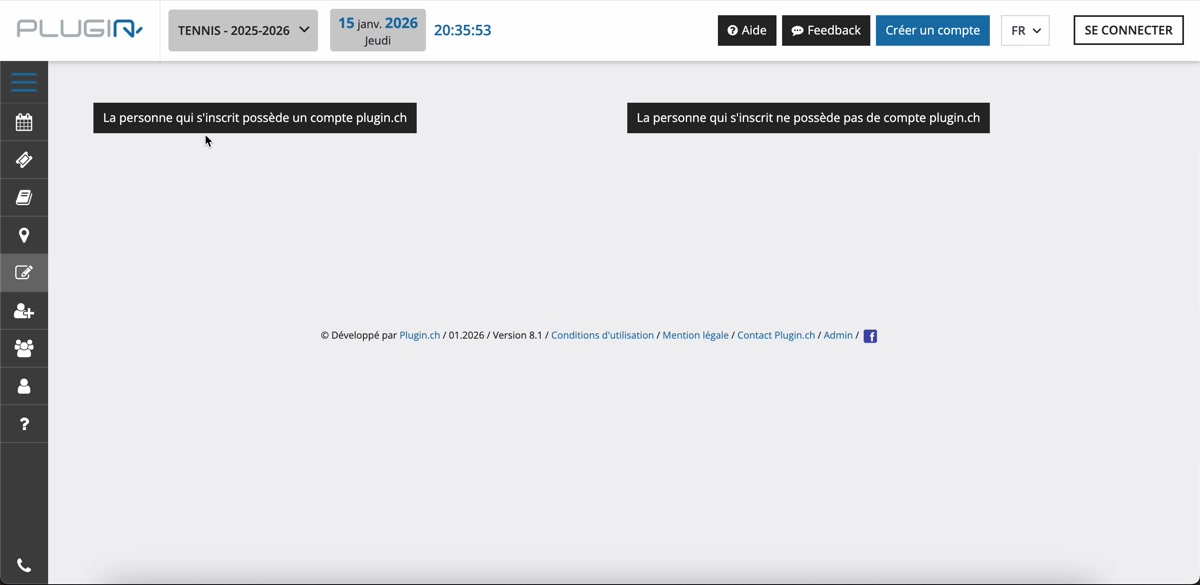
Choice between logging in with an existing account or filling in a form without an account.
Choose the family member to enroll
If you have several family members registered on Plugin.ch, choose the person you want to enroll (for example your child).
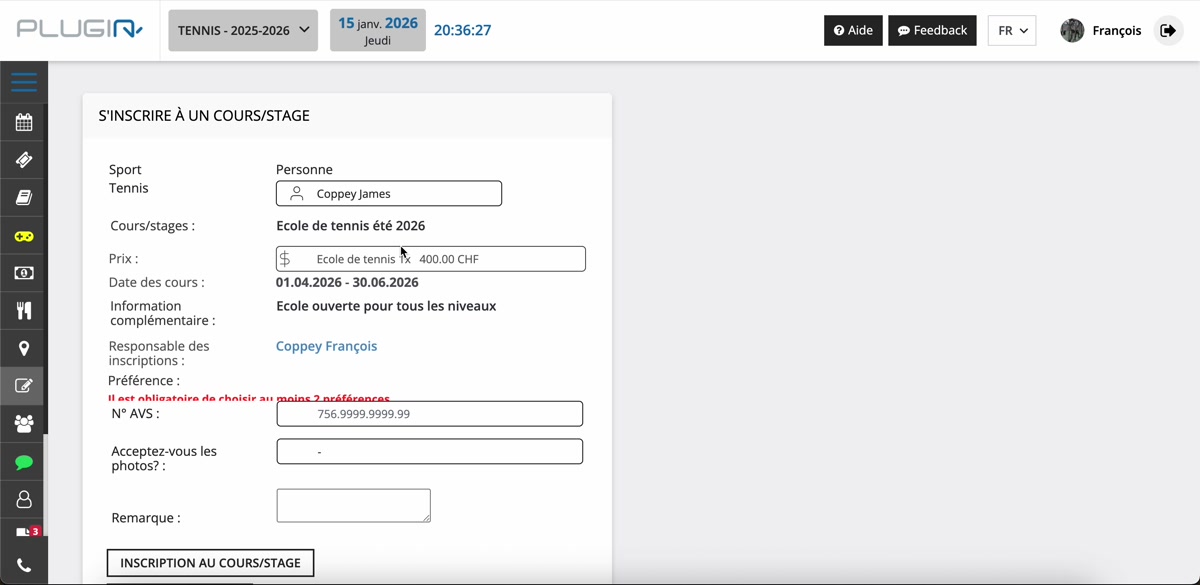
Selection of the family member to enroll.
Choose the frequency and rate
The system automatically detects your status (member or non-member) and offers you only the corresponding rates. Choose the desired frequency:
- 1x per week (e.g. CHF 400 for members)
- 2x per week (e.g. CHF 650 for members)
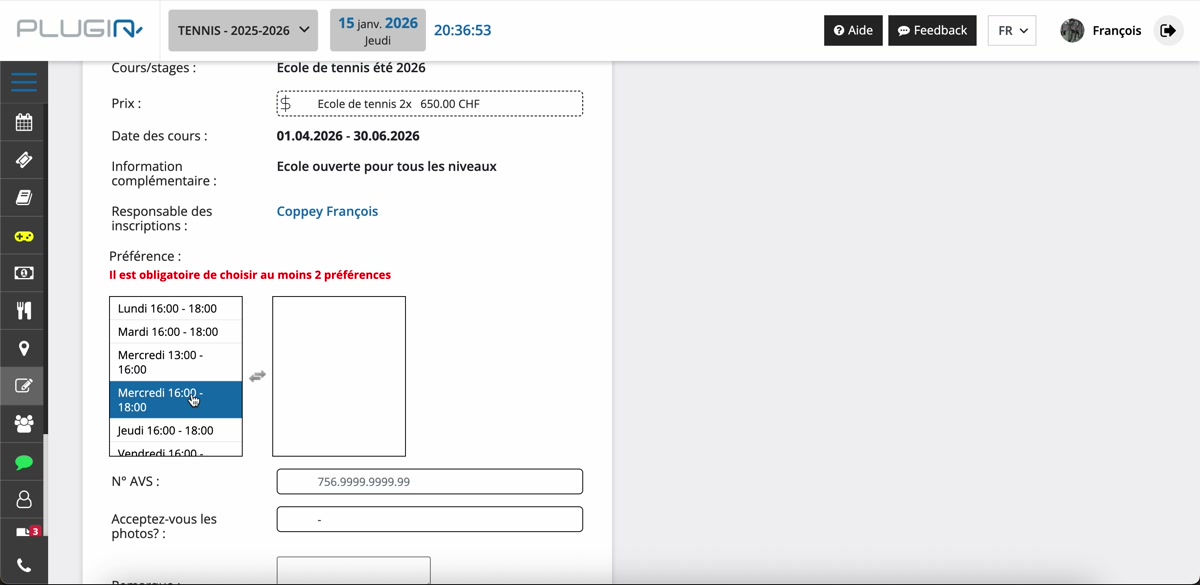
Automatic selection of rates based on your member status.
Enter your preferences and your AVS number
Fill in the requested information:
- Time preferences: choose the slots that suit you (e.g. Thursday 4-6pm as first choice, Wednesday 1-4pm as second).
- AVS number: mandatory, it must start with 756 (Swiss format).
- Photos: accept or decline the photo authorization.
- Remarks: optional, add a comment if needed.
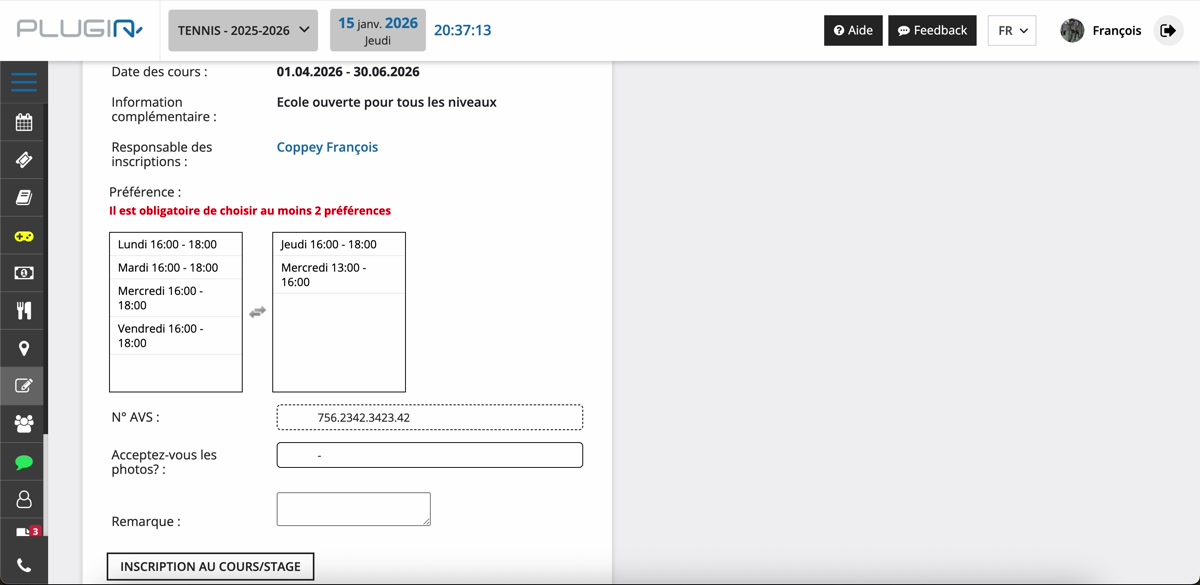
Entry of the AVS number, time preferences, and remarks.
Confirm the registration
You have two options to finalize:
- Pay online: pay directly by credit card.
- Sign up for the lesson: sign up now and receive an invoice later.
A confirmation message appears: “Your booking was successfully made”.
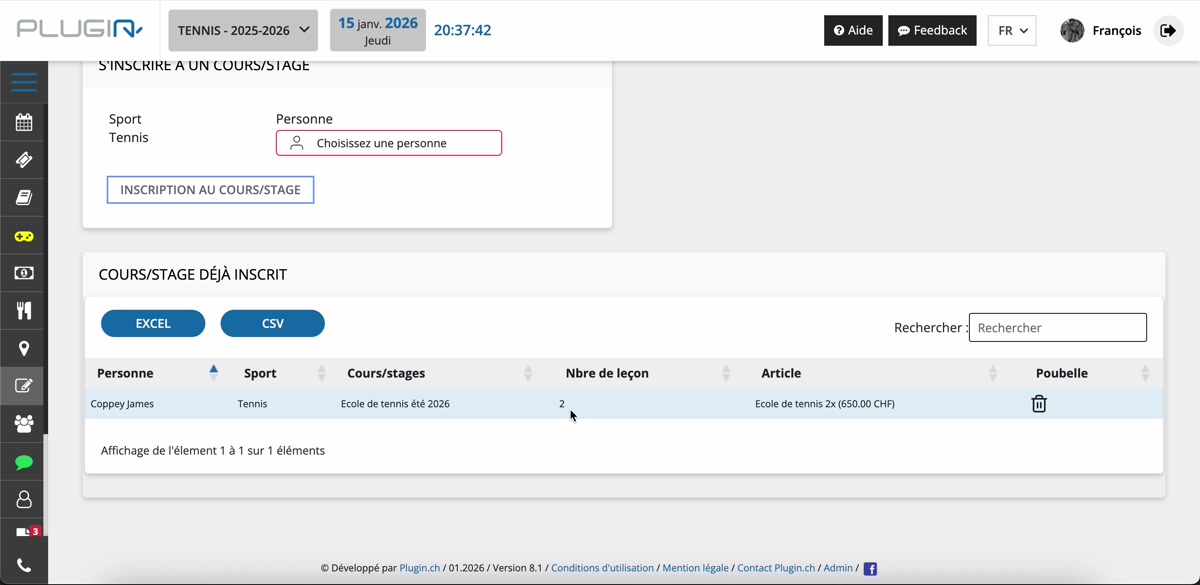
Confirmation message after a successful registration.
Plugin.ch Tutorial — Tennis School
Plugin.ch Tutorial — School/Camp